Technologies

  • Workflow
  • Blogs
  • Enquire

The Next Step

The next part startswith a conversation.

You’ve seen how the journey can come together. Now let’s build one that feels clear, connected and right for your brand.

Start a Conversation

Designed to disrupt.

ProductsAboutContactCareers
Privacy PolicyTerms
Instagram
LinkedIn
YouTube
Facebook
X (Twitter)

Metaveo Technologies 2026 copyright

Case Study | Technologies

Designing a Scalable Digital Self-Assessment Platformfor School Digital Capability

Olive required a structured digital platform that could help schools assess their digital transformation readiness through a guided, domain-based self-assessment tool. Metaveo designed the complete Digital Transformation Tool experience, including school dashboards, free trial access, paid membership pathways, admin controls, reporting interfaces, and super-admin workflows.

Client: Olive

Category: Digital Product Design | UX/UI Design | Dashboard Design | EdTech Platform

Industry: Education | Digital Transformation | School Capability Assessment

Start a Project

Product Interface

Admin, reporting, comparison, pricing, and school management screens.

The platform interface brought Olive's internal workflows into one connected system, giving teams visibility across school activity, subscriptions, reporting, and assessment outcomes.

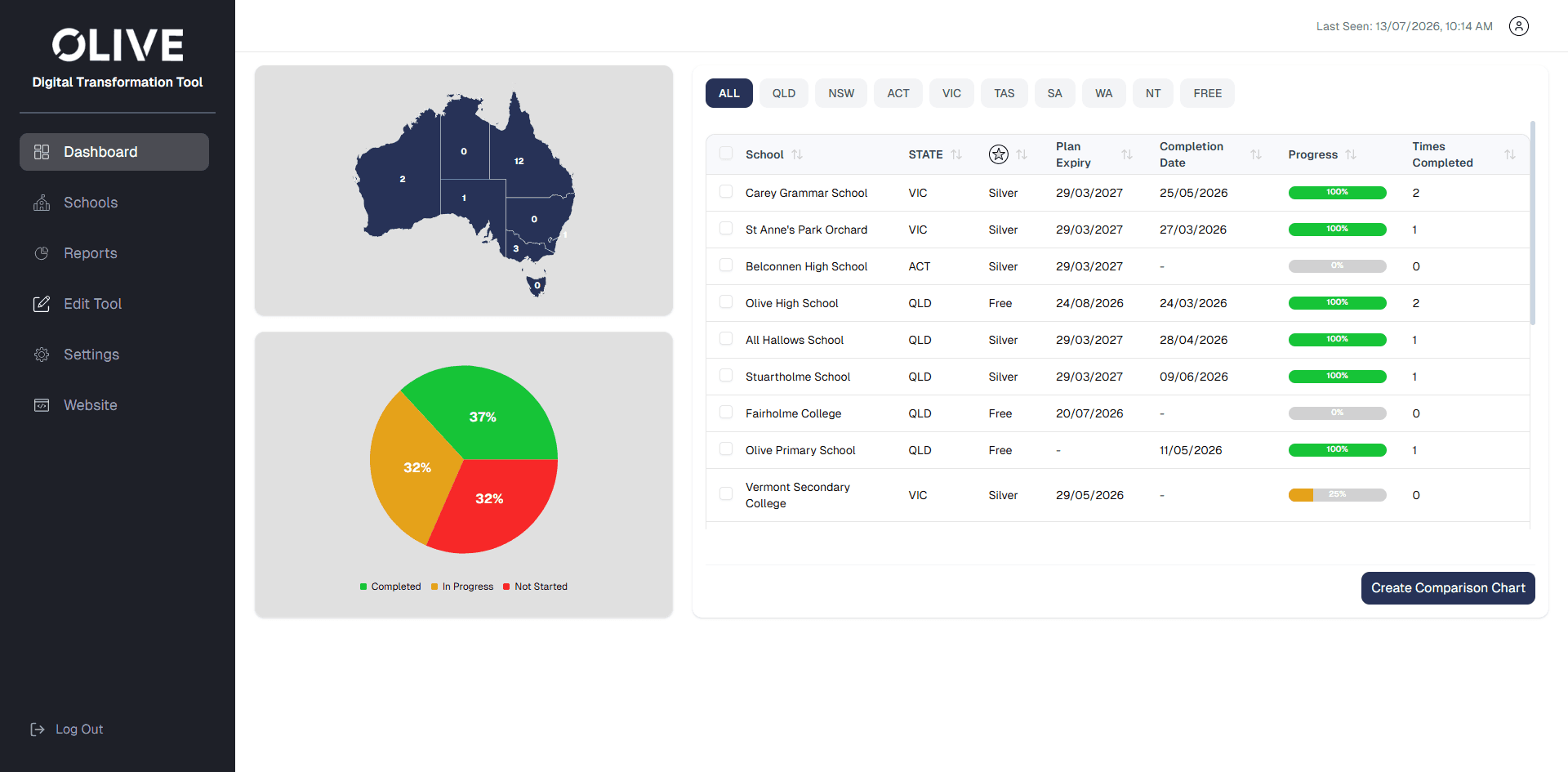
Olive Digital Transformation Tool super admin dashboard with Australia map, completion chart, and school progress table.
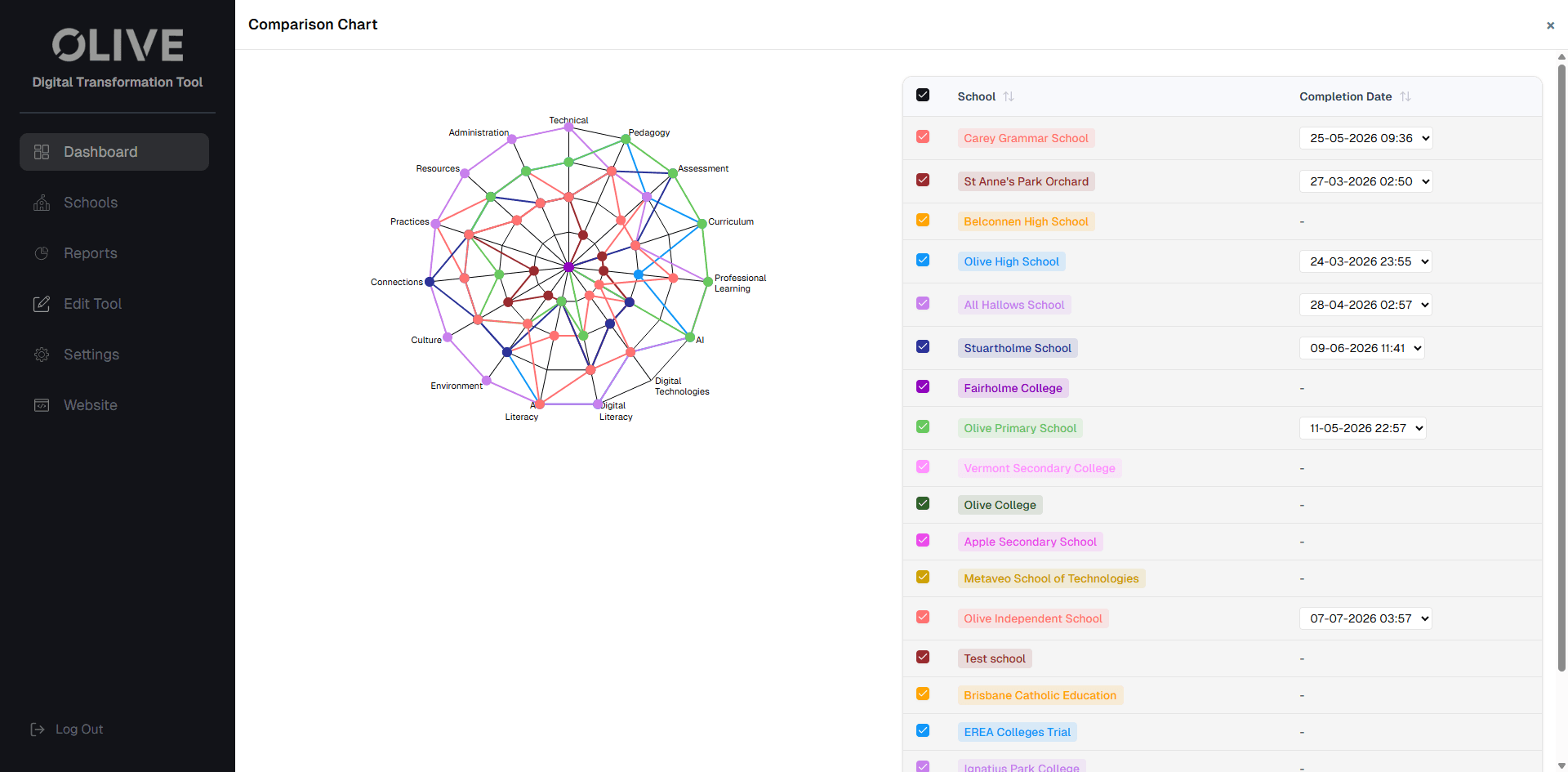
Olive comparison chart screen with spider chart visualisation and selectable school completion dates.
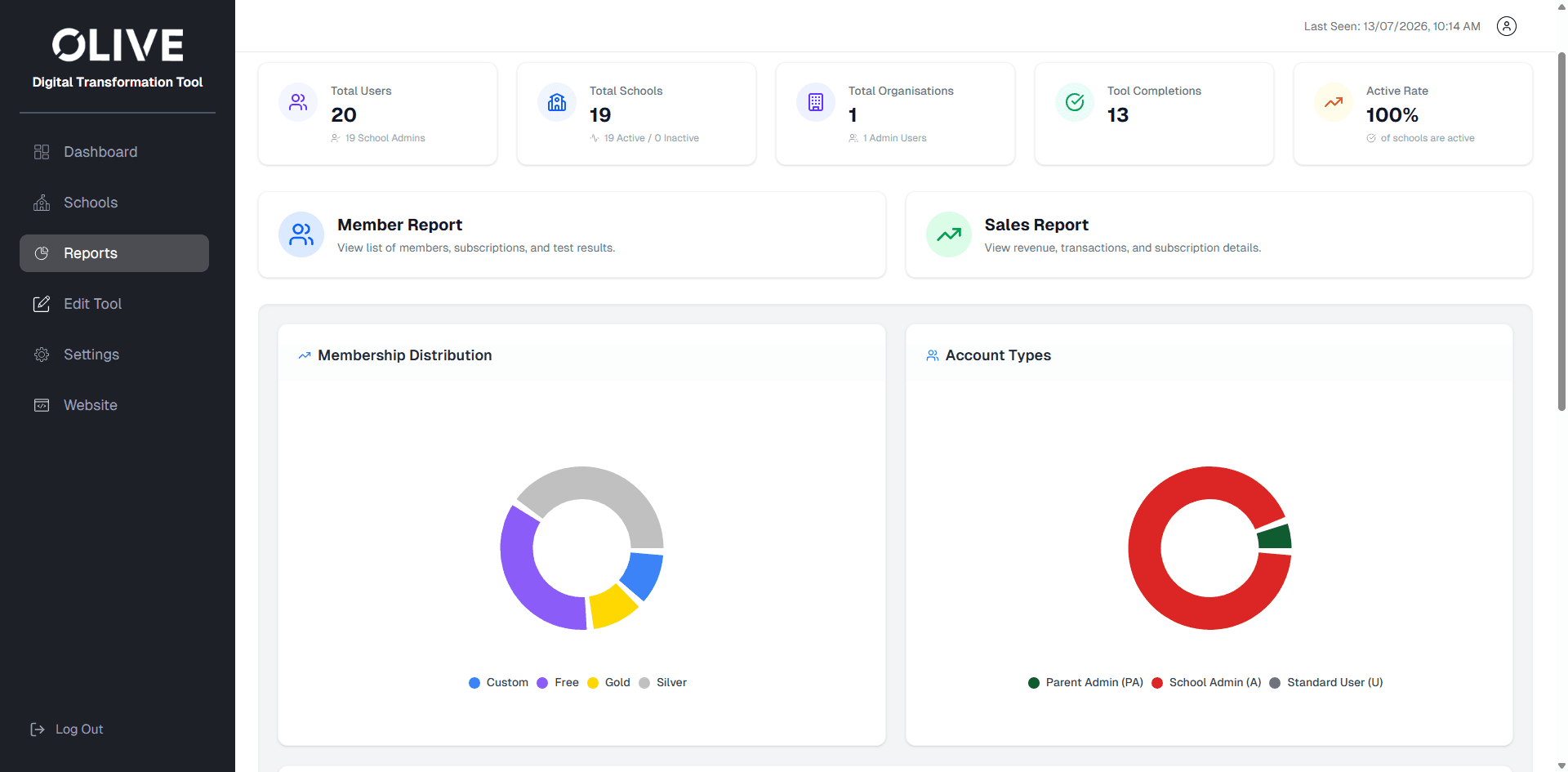
Olive reports dashboard with member metrics, report cards, membership distribution chart, and account type chart.
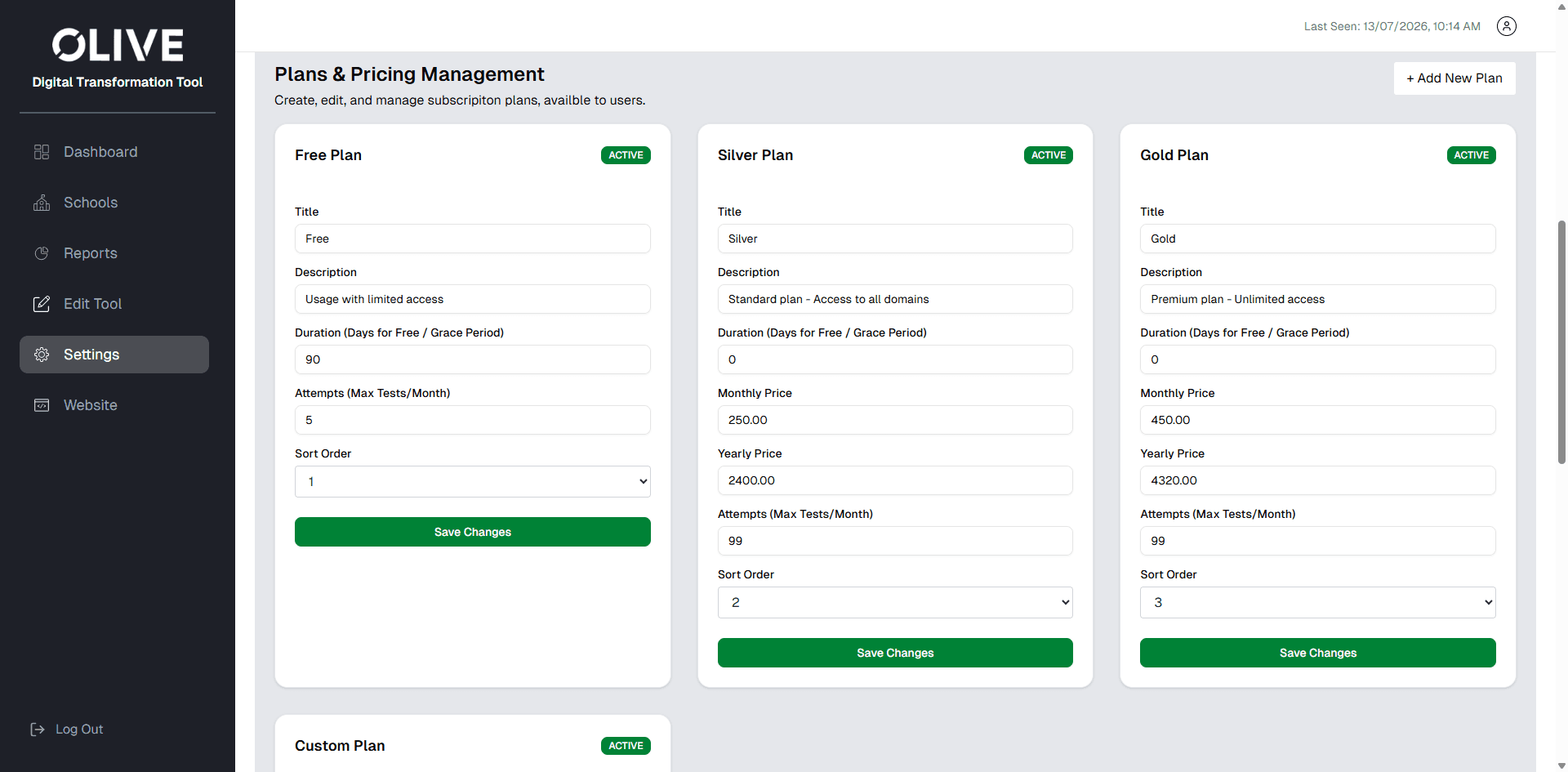
Olive plans and pricing management screen showing free, silver, and gold plan configuration forms.
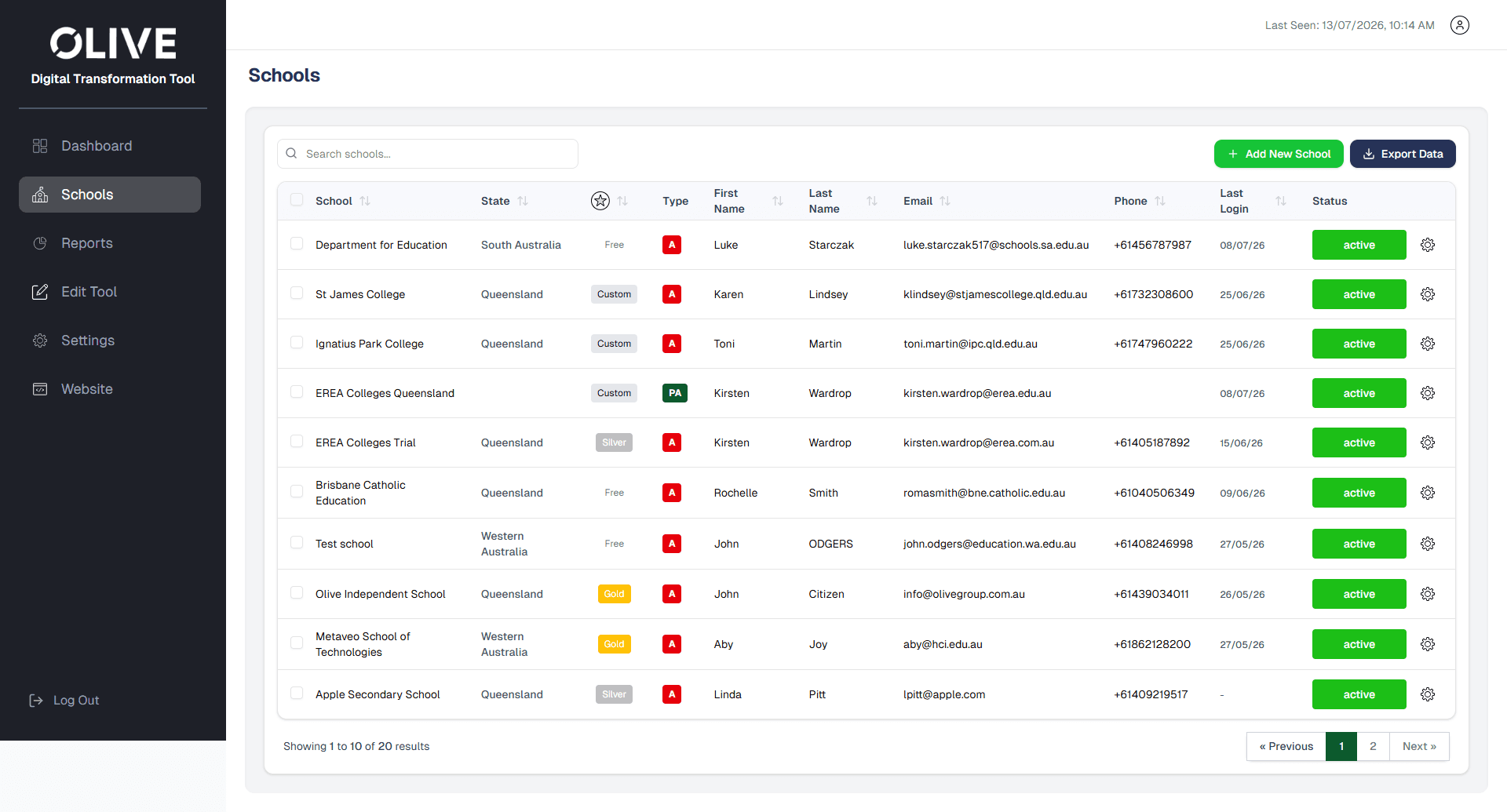
Olive schools management screen with searchable school list, account details, status controls, and pagination.

Overview

A guided self-assessment platform for school digital capability.

Olive needed a digital product that could guide schools through a structured self-assessment process and provide meaningful reporting on digital capability. The platform was designed around four key domains: Teaching, Learning, Leading, and Managing.

Each domain guides users through statements, progress tracking, interim results, and final reporting.

The Challenge

More than a questionnaire, the tool needed to support multiple school and admin pathways.

Olive needed more than a simple questionnaire. The platform had to support different account types, school users, admins, free trial users, paid members, custom organisations, and Olive's internal super-admin team.

  • Creating a guided multi-domain assessment experience.
  • Supporting Free Trial, Silver, Gold, and Custom account pathways.
  • Allowing users to start, pause, resume, and retake the assessment.
  • Enabling school admins to manage multiple user profiles.
  • Giving Olive internal visibility over school progress across Australia.
  • Designing clear reporting and comparison views.
  • Maintaining a clean interface aligned with Olive's brand.

Our Approach

Mapping the full journey from public website to final report.

We mapped the complete journey from the public-facing website into the Digital Transformation Tool. The flow included account creation, plan selection, free trial access, paid membership, custom account handling, triage questions, dashboard access, and the final assessment experience.

01

Start Tool

02

Choose Domain

03

Answer Statements

04

Track Progress

05

Complete Domain

06

View Results

07

Generate Report

Key Features

Dashboards, reporting, trials, memberships, and admin controls designed as one connected system.

The product design connected the school user experience with Olive admin needs, keeping the interface structured across assessment, membership, reporting, and account management workflows.

Feature 01

Domain-Based Assessment Flow

The tool guides users through four education-focused capability domains: Teaching, Learning, Leading, and Managing. Each domain includes an introduction, yes/no statement-based questions, progress indicators, and completion screens.

Feature 02

Free Trial Experience

A separate free trial flow allows schools to experience part of the Teaching domain before upgrading. Other domains are shown as unavailable, keeping the preview clear while protecting the value of the full tool.

Feature 03

School User Dashboard

The school dashboard allows users to start, resume, or retake the tool, access reports, edit profile details, view membership information, access support, and log out.

Feature 04

Admin and User Management

Gold admin accounts can edit profiles and add users, while Olive's super-admin interface supports school management, account status updates, password resets, and user-level access controls.

Feature 05

Super Admin Dashboard

The Olive super-admin dashboard gives internal teams a national view of school progress using an Australia map, state filters, school lists, completion status, progress indicators, and comparison chart generation.

Feature 06

Reports and Insights

The reporting interface was designed to show generated reports, PDF download options, spider chart visualisations, progress insights, and comparison views across domains and schools.

Design System

A minimal, structured interface aligned with Olive's brand.

  • Olive green, navy, white, black, and supporting tertiary colours for domain differentiation.
  • Poppins as the primary font family across headings, questions, and body text.
  • Outline-stroke icons with rounded corners and consistent proportions.

Outcome

A complete UX/UI and functional design framework for development consistency.

The project delivered a complete UX/UI and functional design framework for Olive's Digital Transformation Tool. The documentation covered user-facing assessment journeys, free trial and paid account flows, school dashboards, admin dashboards, parent admin views, report generation, spider chart comparison, account management, and design guidelines for development consistency.

  • - User-facing assessment journeys
  • - Free trial and paid account flows
  • - School dashboards
  • - Admin dashboards
  • - Parent admin views
  • - Report generation
  • - Spider chart comparison
  • - Account management
  • - Design guidelines for development consistency

Digital Product Design

Have a digital product idea that needs structure?

We help organisations turn complex workflows into scalable, intuitive digital platforms.

Start a Project